

Washing Machine Troubleshooting: Start With the Symptom

Updated: Sep 23
If a washing machine acts up, start with what it is doing now—not with a part name. A machine that has no lights needs a different first check from one that fills but will not drain, and a washer that stops with water inside should not be treated like an empty machine that will not spin.
Quick answer: Note whether the washer has power, whether water entered, which stage it reached, and whether water remains in the drum. Those four observations usually point you to the right guide without opening a panel or guessing at a failed component.
Stop using the washer if you notice a burning smell, sparking, water touching an outlet or electrical area, a large active leak, or movement violent enough to strike nearby objects. Disconnect power only if you can do so without approaching water or another hazard.
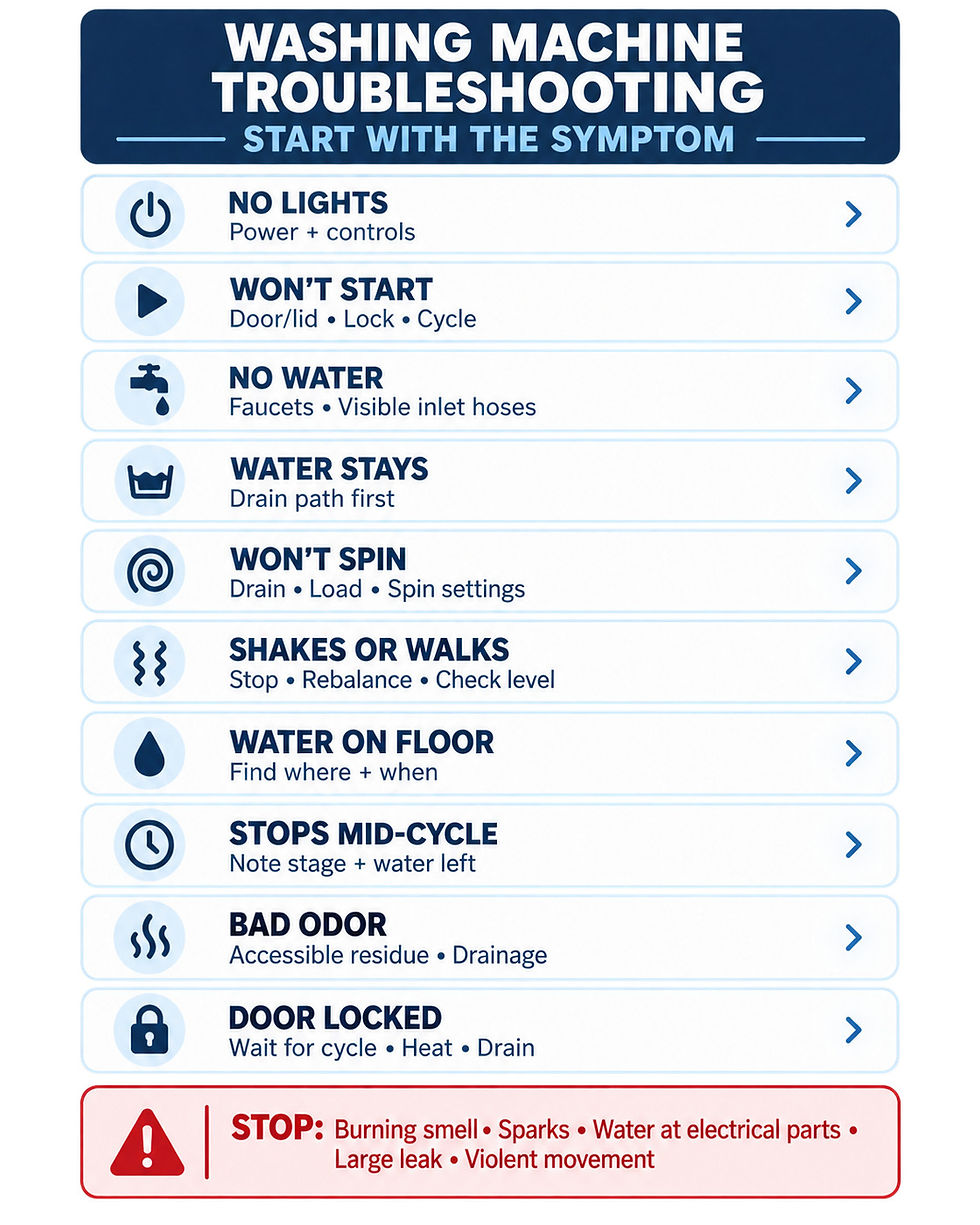
Choose the symptom that matches what you see
No lights or completely dead
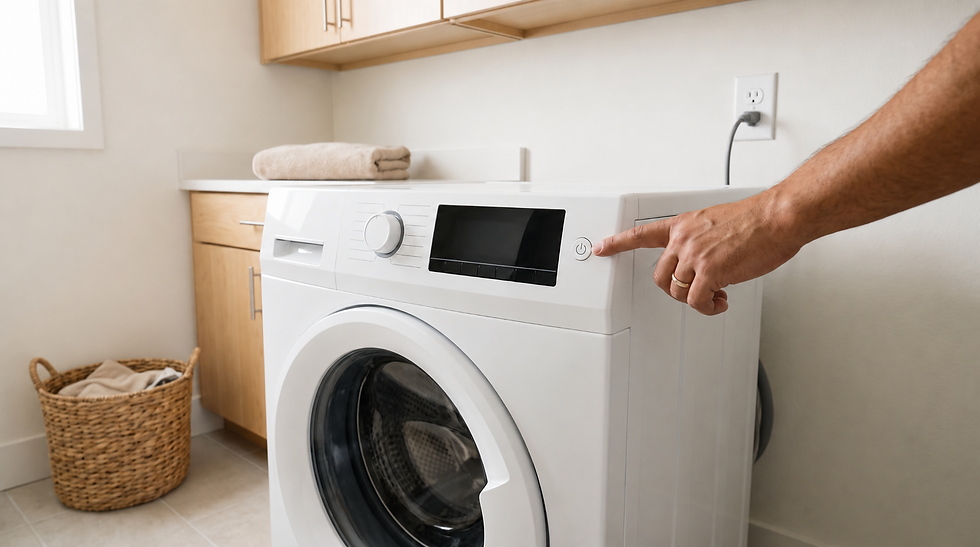
Start outside the machine. Confirm that the controls are not simply asleep, the plug appears fully seated, and the household breaker has not tripped. Do not repeatedly reset a breaker or continue testing if it trips again.
If the outlet, cord, or electrical area is wet, keep away and arrange qualified help. For a safe external checklist, use Washing Machine Won't Start: What to Check First.
Powers on but will not start
A lit display means the problem is no longer “no power.” Check that the door or lid is fully closed, the chosen cycle was started, and delay-start or child-control settings are not preventing operation. Read any displayed code exactly rather than clearing it immediately.
A door-lock problem, control issue, or model-specific sequence may require service. Do not bypass a lid switch or door lock, force a latch, or remove the control panel.
No water enters
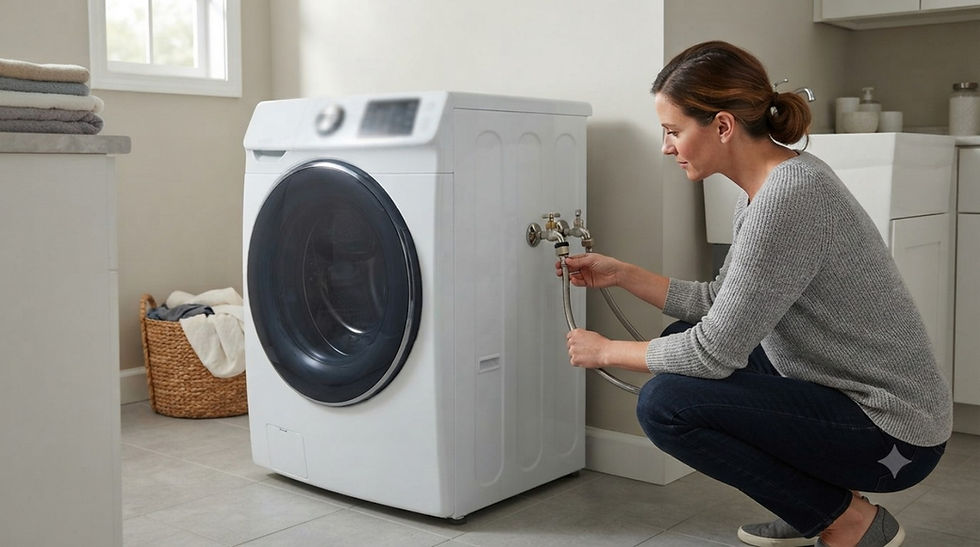
Check whether both supply faucets are open and whether the visible sections of the inlet hoses are sharply kinked. Make sure the door or lid is properly closed and that the cycle actually calls for water. Do not disconnect a pressurized hose just to test flow.
If other fixtures also have weak flow, the issue may be with the home's water supply rather than the washer. Continue with Washing Machine Not Filling With Water: What to Check First.
Water stays in the drum
Treat this as a drainage symptom first. Cancel the cycle only as the owner's manual allows, keep the door closed if the water level is high, and inspect only the accessible drain hose for a visible kink or obvious crushing.
Do not force the door open, remove a pump, open an internal filter housing, or tip the machine while it contains water. Use Washing Machine Won’t Drain? Diagnose the Water Before Repair for the next safe checks.
Drains, but the drum will not spin
First confirm that the water actually left. Many washers limit spin when they still detect water, so a drainage problem can look like a spin failure. If the drum is empty, redistribute a tangled or one-sided load and confirm that the selected cycle allows the expected spin speed.
If the machine hums, smells hot, repeatedly stops, or cannot spin an ordinary balanced load, stop testing. Continue with Washing Machine Won't Spin: What to Check First.
Shakes, bangs, or walks
Pause the cycle if the washer is moving across the floor or striking a wall. Let the drum stop, then redistribute the load. Bulky items can collect on one side even when the washer itself is level.
When the machine is empty and off, check that all feet contact the floor and that the appliance does not rock. Do not reach under a running washer or attempt to level it during a cycle. See Washing Machine Shaking Violently During Spin Cycle.
Water appears on the floor
The location and timing matter more than the size of the puddle. Note whether water appears while filling, washing, draining, or only after the cycle. From a safe distance, look for moisture at the supply faucets, visible hose connections, door seal area, dispenser, and drain-hose route.
Stop immediately for a fast-growing leak or any water near electrical parts. Do not run repeated cycles to “find” a leak that is already active. Use Washing Machine Leaking Water: Find Where It Starts.
Stops in the middle of a cycle
Write down the exact stage: filling, washing, rinsing, draining, or spinning. Also note whether water remains and whether an error code appears. A washer that stops before draining follows a different path from one that drains and then stops before spin.
Avoid repeated resets because they can erase useful evidence without correcting the cause. Continue with Washing Machine Stops Mid-Cycle: What to Check.
Smells bad
Odor alone does not identify a failed part. Check for damp laundry left inside, residue in accessible detergent areas, a dirty door gasket on a front-loader, or a drain symptom that leaves stale water behind. Clean only areas the owner's manual identifies as user-accessible, using compatible products.
Never mix cleaning chemicals. If the odor is electrical, hot, smoky, or associated with overheating, stop using the machine instead of running a cleaning cycle. See Washing Machine Smells Bad: Find the Source.
Door or lid stays locked
Do not pull, pry, or defeat the lock. A front-loader may keep the door locked while water remains, while temperatures are unsafe, or while the cycle is still ending. Wait the model-specified time and follow the owner's manual for canceling or draining.
If water is visible behind the door, solve the drain symptom before treating the lock as a separate failure. Continue with Washing Machine Door Won't Unlock.
Record four details before calling for service
A short, accurate description can make support more useful:
The exact symptom and the cycle stage where it occurs
Whether water entered and whether any remains
Any error code, unusual sound, odor, or visible leak
The model number and what changed just before the problem began
Do not dismantle the washer to collect more evidence. Internal wiring, capacitors, motors, pumps, suspension parts, pressurized connections, and control boards are service work.
Why model-specific instructions matter
Control sequences, filter access, drain procedures, load limits, and error codes vary by model. Manufacturer troubleshooting pages from Samsung, LG, and GE Appliances support starting with observable symptoms, but their exact procedures are not interchangeable. Use the label and owner's manual for your washer before attempting any model-specific reset, cleaning step, or access procedure.
Safety boundary
This guide is for external observation and ordinary owner-accessible checks. Stop and use qualified service for exposed wiring, repeated breaker trips, electrical odor, water near electrical parts, a large leak, a damaged cord or outlet, a locked machine holding a large amount of water, or persistent violent movement.
Online troubleshooting cannot confirm a diagnosis or guarantee a repair. When the symptom does not match a safe external check, preserving the evidence and arranging service is the better next step.
Sources
Key safety and symptom-routing points were checked against official manufacturer support material:
For more symptom-specific articles, browse the Washing Machines guide hub.
If the main symptom is banging, grinding, scraping, squealing, or another unusual sound, use the Washing Machine Making a Loud Noise guide to match the noise to the cycle stage.
Comments